Getting started with a new trading platform can feel overwhelming, especially if you’re trying to balance strategy, execution, and performance tracking all at once. That’s where TradeZella comes in. It’s built to simplify your trading experience, giving you powerful tools to help analyze, reflect, and improve.
Whether you’re just starting out or you’re a seasoned trader looking for smarter insights, this guide will walk you through how to set up, navigate, and make the most of TradeZella’s features.
What Is TradeZella?
TradeZella is a user-friendly yet powerful platform designed for traders who want to track their trades, analyze performance, and refine their strategies. It works as a trading journal and analytics tool that helps you stay organized and sharp with your trading decisions.
From visualizing past trades to identifying patterns in your performance, TradeZella is all about turning your trading activity into actionable insights.
Who Should Use TradeZella?
TradeZella works for everyone. If you’re a beginner, you’ll appreciate how intuitive it is. If you’re a more experienced trader, you’ll love the advanced analytics, custom reports, and automation features. It scales with you, making it a smart choice no matter where you are in your trading journey.
Getting Started: Setting Up Your TradeZella Account
1. Create Your Account
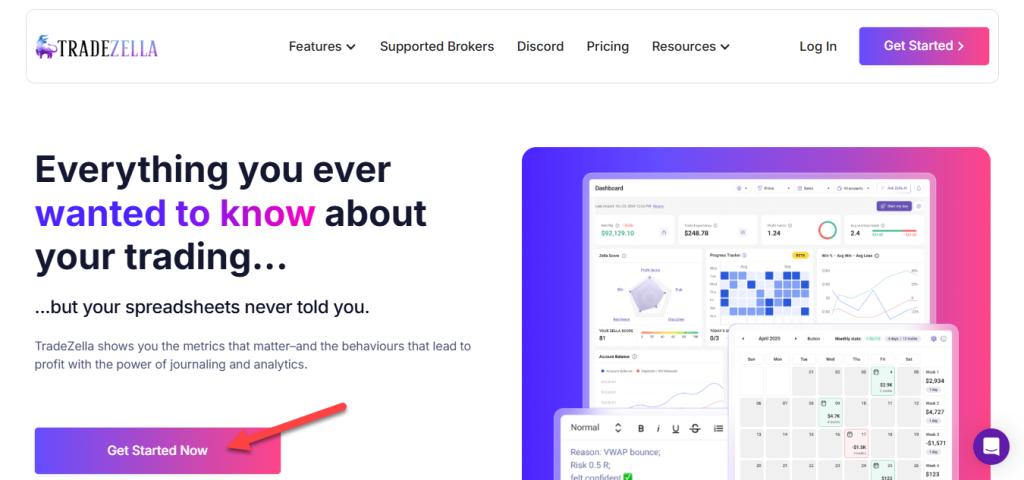
Head to the TradeZella website and hit the sign-up button. You’ll enter some basic info like your name, email address, and password. Use a strong, unique password to keep your account secure.
2. Customize Your Profile
Once inside, tweak your profile settings. You can set trading preferences, notifications, and other personalizations that will shape how TradeZella serves you.
3. Connect Your Brokerage
TradeZella allows you to connect your brokerage account so you can automatically sync trades. Just follow the secure connection steps in the platform to link it up.
4. Secure Your Account
Enable two-factor authentication and regularly review your login activity. Your trading data and account security are worth the extra steps.
Exploring the Dashboard
Once your account is set up, the dashboard becomes your main hub. It’s clean, customizable, and designed to keep your most important data front and center.
Highlights of the Interface:
- Easy-to-navigate layout
- Real-time performance updates
- Visual trade summaries and stats
Customizing Your Layout:
- Drag and drop widgets to build a dashboard that fits your workflow
- Add or remove data blocks like trade summaries, performance charts, or alerts
- Save different layouts for different strategies or trading sessions
Watchlists and Shortcuts
Set up watchlists to track the assets you care about most. It only takes a few clicks:
- Go to the Watchlists tab
- Click “Create New”
- Add your chosen assets
- Customize as needed
You’ll also find quick-access shortcuts to help you jump to frequent actions like journaling trades or viewing reports.
Placing Your First Trade
Ready to make your first trade using TradeZella? Here’s how to do it step-by-step:
- Choose the asset you want to trade
- Enter trade size
- Pick your order type
- Confirm and submit
Order Types Explained:
| Order Type | What It Does | When to Use It |
| Market Order | Buys/sells at the current price | Quick entries or exits |
| Limit Order | Executes at a price you set | You want control over pricing |
| Stop Order | Triggers once a certain price is reached | To limit loss or lock profit |
Managing Open Positions
Once you’re trading, you’ll want to stay on top of your open positions. TradeZella helps you:
- Track real-time profit and loss
- Adjust positions as needed
- Set or update stop-loss and take-profit levels
Risk management is built into the system, helping you automate those important safety nets.
Analyzing Your Performance
Reviewing your trades isn’t just helpful—it’s essential. TradeZella offers rich analytics to break down your performance and highlight patterns.
Key Features:
- Analytics Dashboard: See metrics like win/loss ratio, trade duration, and P&L over time
- Trade History: Revisit individual trades and analyze your thought process
- Pattern Recognition: Spot repeated behaviors that help—or hurt—your outcomes
Going Deeper with Advanced Features
If you’re ready to take things to the next level, TradeZella has advanced features that let you fine-tune your performance.
Use Tags and Filters: Categorize trades by strategy, asset class, or any custom tag you create. This makes reviewing your trades more insightful and organized.
Build Custom Reports: Generate performance reports for specific periods, strategies, or trading types. It’s great for reviewing monthly performance or testing new approaches.
Set Trading Rules and Alerts: Create rules that notify you when certain market conditions are met, or even automate parts of your decision-making process.
Keeping a Trading Journal
A trading journal can be your most valuable tool. Use TradeZella to record:
- Why you entered a trade
- What happened during the trade
- Lessons learned
This running log will help you track growth and avoid repeating mistakes.
Integrations and Mobile Access
Compatible Platforms: You can connect TradeZella with platforms like MetaTrader and NinjaTrader, giving you access to more tools and a broader trading setup.
Data Exports: Export your trade data to Excel or CSV if you prefer offline analysis or want to bring your data into another app.
Mobile App: TradeZella has mobile support for iOS and Android, so you can monitor performance and journal trades while you’re on the move.
API Access for Power Users: Advanced users can tap into TradeZella’s API for real-time data, automation, or custom tool integrations.
Wrapping Up
If you’re serious about improving your trading, TradeZella gives you the structure and tools to do it. From clean journaling and real-time analytics to advanced automation and deep performance review, it’s built for traders who want to grow.
Start by setting up your account, explore the dashboard, make your first trade, and gradually dig into the more advanced features as you go. The more you use it, the more valuable the insights become.
FAQs
What is TradeZella?
It’s a trading journal and performance platform that helps traders analyze and improve their strategies.
Is TradeZella beginner-friendly?
Yes. It’s designed to be intuitive while offering powerful tools for experienced users too.
How do I connect my brokerage?
There are simple prompts inside your account dashboard to link supported brokerages.
Can I use TradeZella on my phone?
Absolutely. There’s a mobile app for both Android and iOS.
Does it work with other platforms?
Yes, it integrates with tools like MetaTrader and offers export options and an API for deeper integrations.Can I customize my dashboard?
Yes, you can rearrange widgets, create different layouts, and make it work for your specific trading style.

